Choose the delivery
Use Online or In-Person for scheduled workshops. Online Self Paced switches the design to ordered modules without day or clock-time controls.
Workshop design
Design a short workshop, a programme across several days, or a self-paced learning experience. Connect activities to outcomes and give facilitators and participants the information they need.
For facilitators, organisational learning teams, trainers and educators designing workshops inside or outside education.
For organisations, educators and facilitators
Use Online or In-Person for scheduled workshops. Online Self Paced switches the design to ordered modules without day or clock-time controls.
Set each day’s start and finish, add activity durations and breaks, and review overruns. Registration can sit before the allocated workshop time.
Write facilitator instructions, participant descriptions and outputs, then link activities to workshop outcomes.
Add a video or web link to an activity or module. Collect session links and add further recommendations for after the workshop.
Include reflection prompts and follow-up resources so participants can continue beyond the scheduled workshop or module.
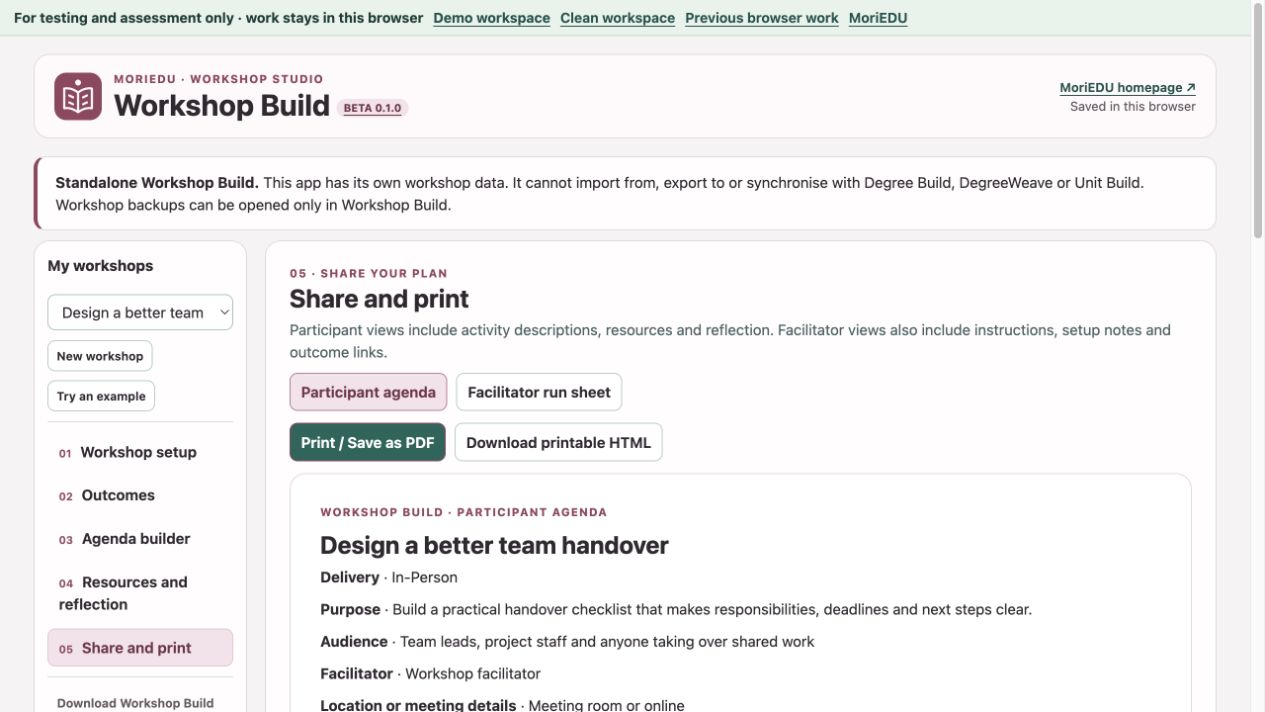
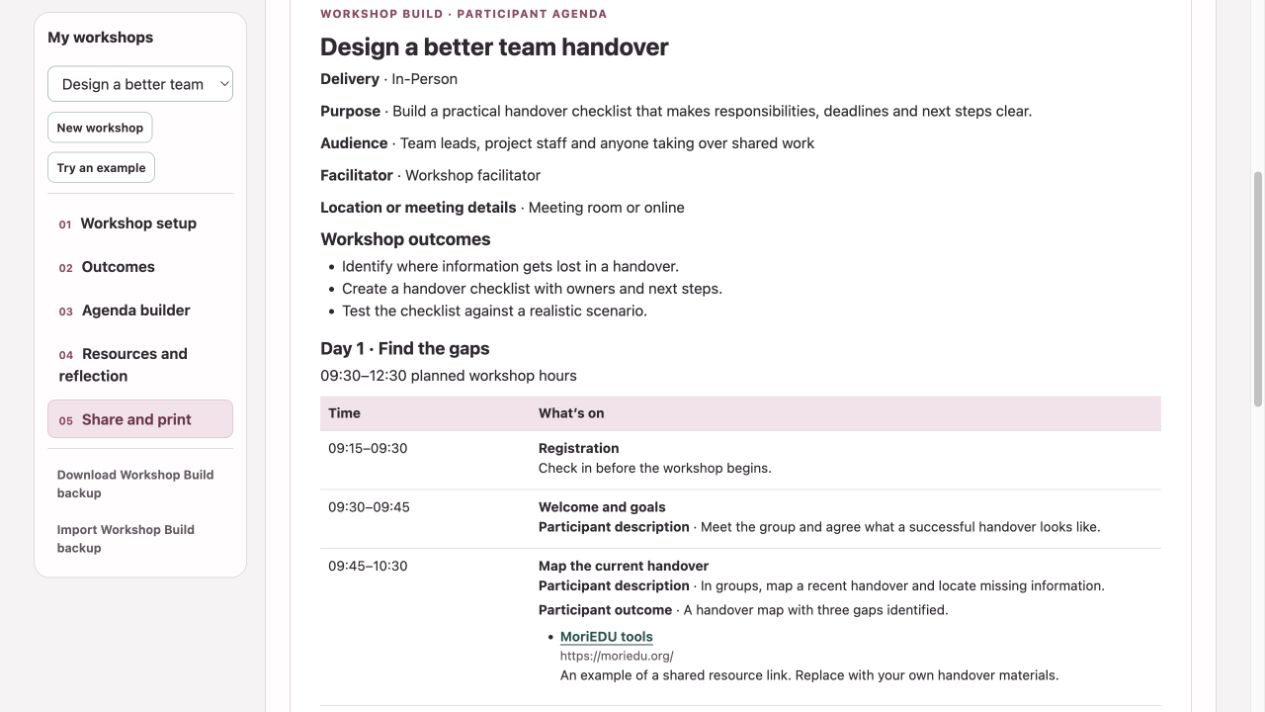
Create a detailed facilitator run sheet or a participant agenda. Use Print / Save as PDF or download printable HTML.
A way to get started
Select Online, In-Person or Online Self Paced.
Decide what participants should be able to do.
Add days or modules, activities, resources and reflection.
Review the facilitator and participant versions.
Workshop Build is a standalone application. Its data and backups cannot be imported into, exported to or synchronised with Degree Build, DegreeWeave or Unit Build. In the pilot, create a separate Workshop Build workspace.
See it in the demo
Before you begin
Participants work through modules and activities in order. Day start times, registration, timed breaks and other scheduling controls are hidden in this mode. Switching modes keeps your underlying plan so you can return to it.
Yes. The workshop structure is designed for people and organisations inside and outside education. Choose outcomes, activity language and participant information appropriate to your audience.
Explore fictional demo content or start an empty browser workspace. Browser work stays in the current browser, so download a backup to keep a copy.
Approved pilot testers can use server-saved workspaces. Registration lets you record your interests; approval provides access to both the curriculum tools and Workshop Build.
For testing and assessment. We suggest fictional or de-identified content.