Keep the unit context
Work with the unit’s outcomes, delivery modes, year level, groups, prerequisites and accreditation information.
Unit design
Develop the teaching sessions and assessments inside a unit. Unit Build brings the student experience into view while keeping learning outcomes and the course context close at hand.
For academics, unit coordinators and learning designers planning the teaching and assessment within a unit.
From unit outline to a teachable plan
Work with the unit’s outcomes, delivery modes, year level, groups, prerequisites and accreditation information.
Write assessment details and student-facing briefs, choose assessment types, and connect tasks to unit learning outcomes.
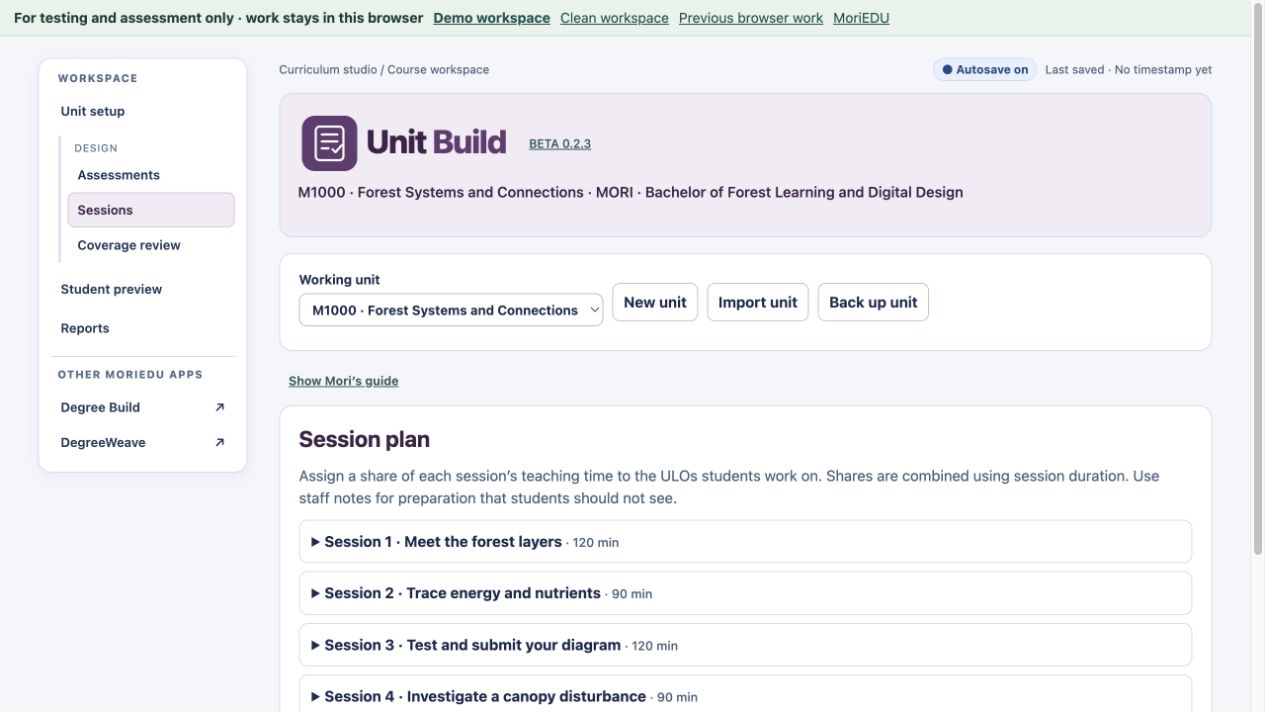
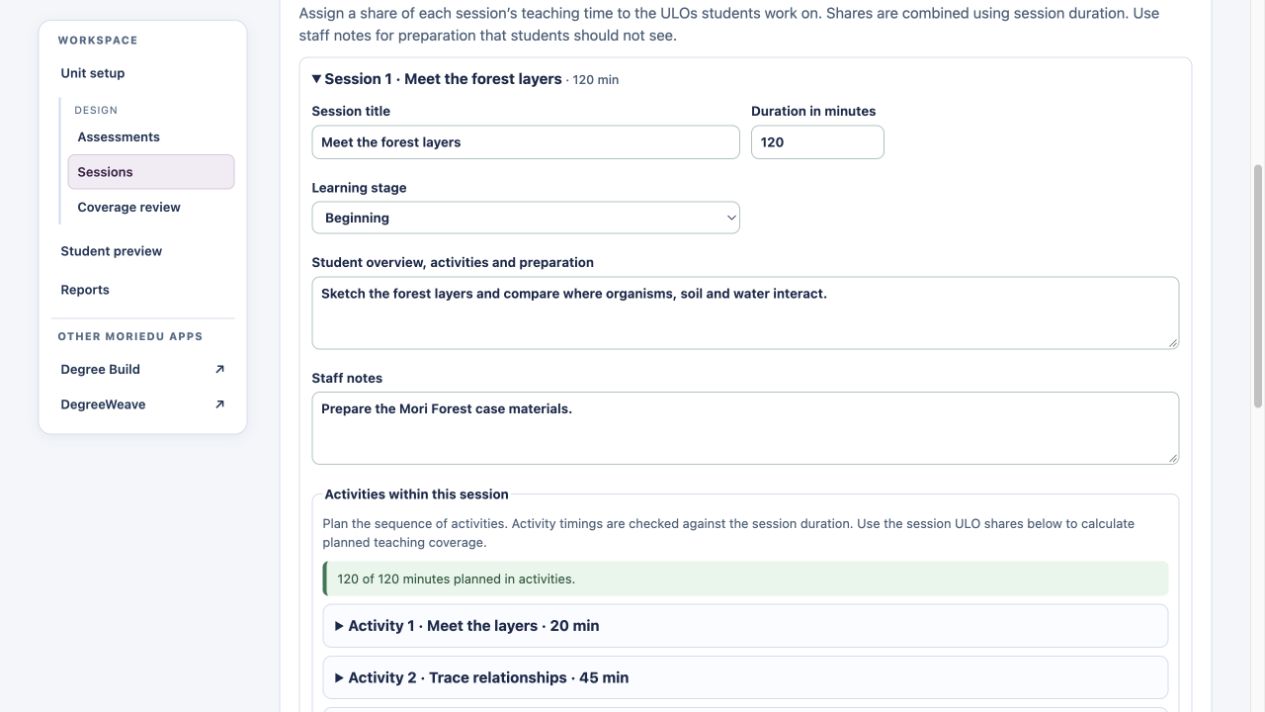
Set the session count and develop activities, participant information, preparation and teaching notes.
Link sessions to learning outcomes and review their shares of teaching time. Consider how sessions prepare students for assessments.
Use the student preview to check how the unit and assessment information will read for students.
Export a brief or full unit report. Use the course handoff workflow to return reviewed unit changes to Degree Build.
A way to get started
Start a unit or open one from your curriculum workflow.
Define the tasks and the outcomes they assess.
Build the sessions and connect activities to outcomes.
Check coverage, preview the student view and export reports.
Unit Build is part of the curriculum tool group with Degree Build and DegreeWeave. Imported course information can be locked to make changes deliberate. Review the return workflow before applying unit changes to the course.
See it in the demo
Our AI-assisted import guide ↗ includes prompts and blank templates for Degree Build and Unit Build. Use these to prepare a draft from existing material, then check the outcomes, assessments and other details before importing it.
Before you begin
You can start a unit directly, or import a supported Unit Build backup. Opening a unit from the degree apps also carries relevant course information into the unit workflow.
The student preview presents student-facing unit and assessment information. Full reports can include staff planning detail. Review the chosen output before sharing it with students.
Explore fictional demo content or start an empty browser workspace. Browser work stays in the current browser, so download a backup to keep a copy.
Approved pilot testers can use server-saved workspaces. Registration lets you record your interests; approval provides access to both the curriculum tools and Workshop Build.
For testing and assessment. We suggest fictional or de-identified content.
Review the learning sequence and assessment instructions, design mixed assessment components, record independent AI permissions and check inherited assurance requirements.
The public demonstration uses the fictional Bachelor of Forest Learning and Digital Design. Its classifications, security components and AI examples are illustrative. Earlier screenshots remain dated examples.