Set the foundations
Capture the award, duration, delivery modes, study load and accreditation information. Edit course options to suit your institution.
Course design
Bring the course profile, units, outcomes and delivery sequence into one organised place. Degree Build helps course teams make the design explicit before reviewing how it all connects.
For course leaders, curriculum designers and teaching teams developing or reviewing a degree.
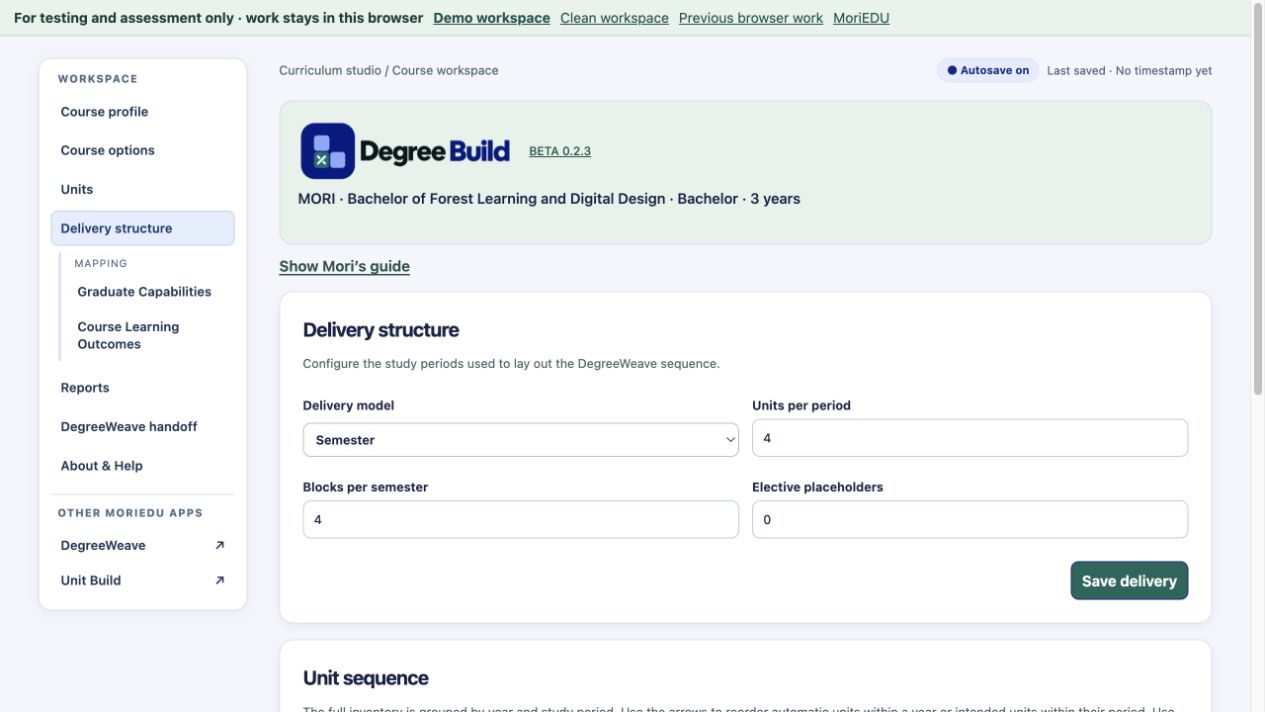
From course idea to course structure
Capture the award, duration, delivery modes, study load and accreditation information. Edit course options to suit your institution.
Record unit learning outcomes, assessments, prerequisites and membership of core, major and minor groups. Keep developing units identifiable.
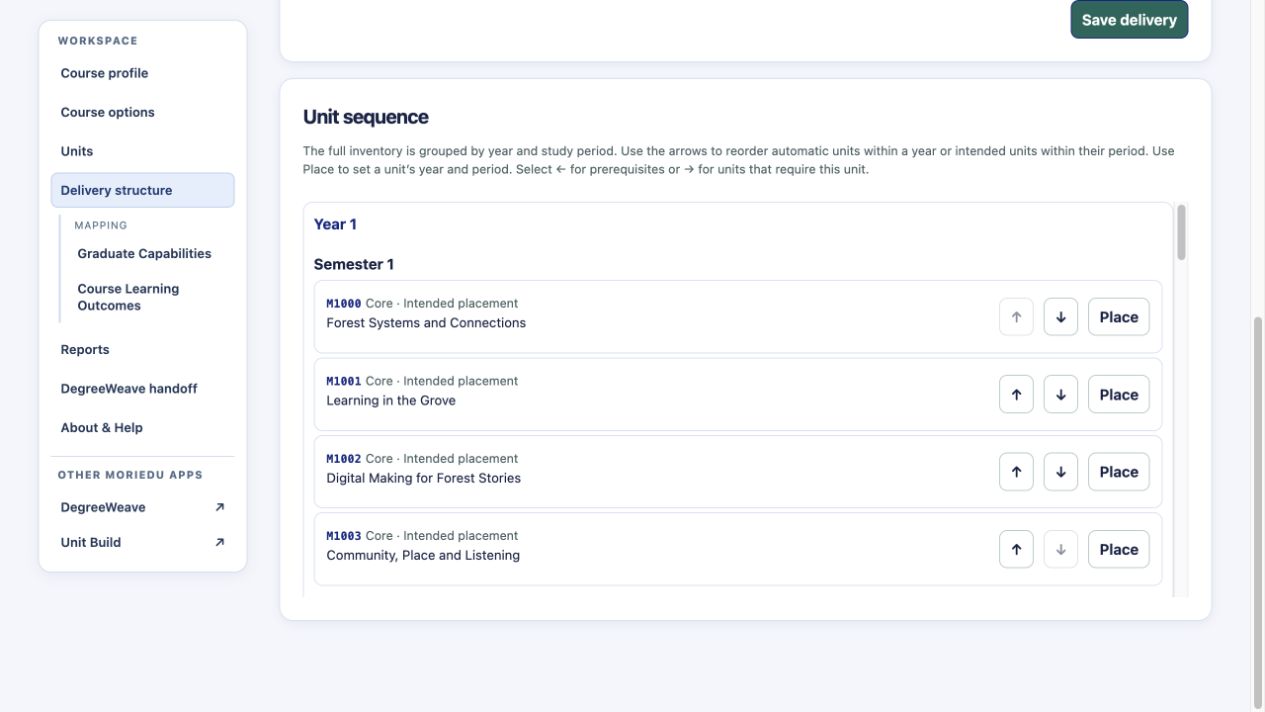
Place units across years and study periods. Review prerequisite warnings as you shape the student journey.
Start mapping unit learning outcomes to course learning outcomes and graduate capabilities. Continue the detailed review in DegreeWeave.
Create brief or full course reports to share the design, including the unit and assessment detail needed for review.
Hand a unit to Unit Build for teaching and assessment design, then bring reviewed changes back into the course workflow.
A way to get started
Set the award, course profile and institutional options.
Add outcomes, assessments, groups and prerequisites.
Place units in a sequence and review the checks.
Continue into DegreeWeave or develop a unit in Unit Build.
Degree Build establishes the course structure. DegreeWeave helps review its curriculum connections, and Unit Build develops the detail within a unit.
See it in the demo
Our AI-assisted import guide ↗ includes prompts and blank templates for Degree Build and Unit Build. Use these to prepare a draft from existing material, then check the outcomes, assessments and other details before importing it.
Before you begin
Degree Build has an AI import guide and blank templates for preparing existing material. Check the prepared data before importing it; the app does not automatically read arbitrary Word documents.
The public web version saves in the current browser. Approved pilot participants can create a curriculum workspace with server saving.
Explore fictional demo content or start an empty browser workspace. Browser work stays in the current browser, so download a backup to keep a copy.
Approved pilot testers can use server-saved workspaces. Registration lets you record your interests; approval provides access to both the curriculum tools and Workshop Build.
For testing and assessment. We suggest fictional or de-identified content.
Use the shared learning verb selector, review cognitive classifications and configure a versioned assessment assurance strategy. Approved outcome wording stays under your control.
The public demonstration uses the fictional Bachelor of Forest Learning and Digital Design. Its classifications, security components and AI examples are illustrative. Earlier screenshots remain dated examples.