Read the stages
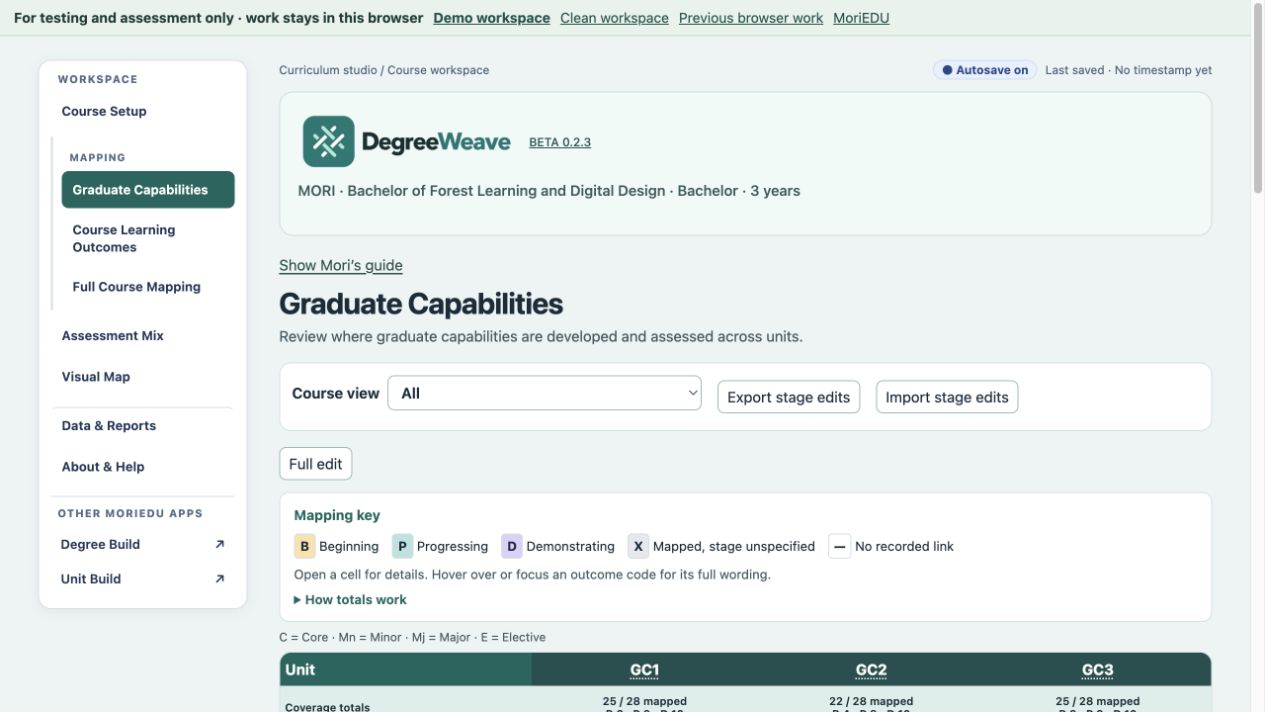
Distinguish Beginning, Progressing and Demonstrating links, alongside mappings where the stage has not yet been specified.
Curriculum review
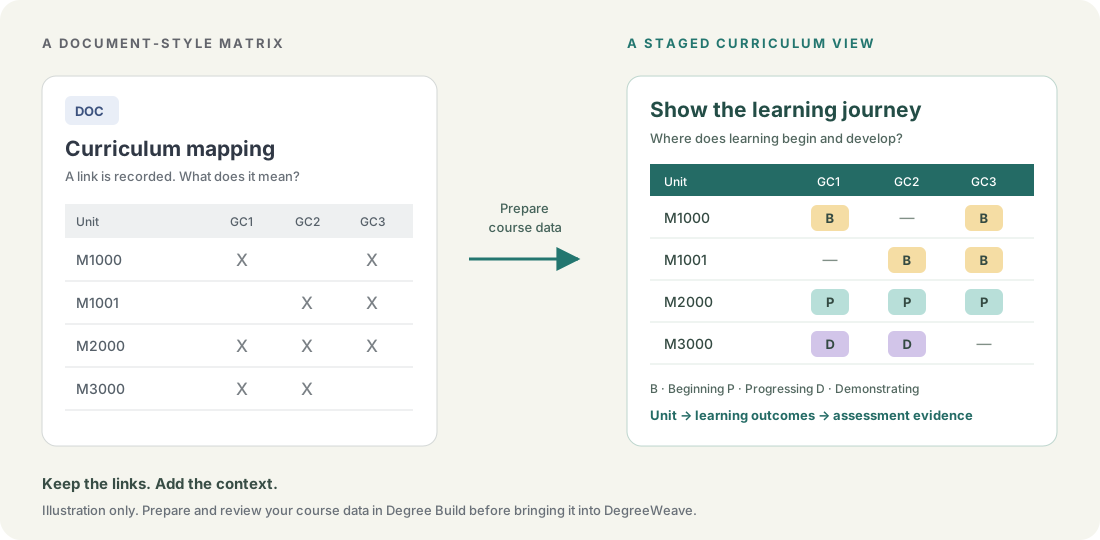
An X can show that a link exists. DegreeWeave helps you explore where learning develops, how units support course outcomes, and which assessment evidence sits behind the map.
For course teams, curriculum reviewers and academic leaders examining the coherence of a course.
Turn this into a clearer view
A document matrix can record that a unit supports an outcome. A staged map helps the team discuss how that support develops across the course, then open the links to examine their evidence.
From a mapping matrix to a curriculum story
Distinguish Beginning, Progressing and Demonstrating links, alongside mappings where the stage has not yet been specified.
Explore the relationships between course learning outcomes, unit learning outcomes and assessments rather than stopping at the existence of a link.
Focus on core units or a named major or minor. Keep the course context while examining a particular part of the curriculum.
Look across assessment types to discuss the variety and balance of assessment in the course.
Use course setup and visual views to examine delivery, prerequisites and the placement of learning.
Use the reporting and export options to support curriculum conversations and document your review.
A way to get started
Build the course data in Degree Build or open a supported project.
Use the curriculum workspace flow or a Degree Build handoff.
Compare stages, views and the evidence behind links.
Use the review to identify questions, gaps and design changes.
DegreeWeave works with structured curriculum data. The document-to-map illustration shows the idea, rather than a one-click Word conversion. Use our AI-assisted import guide ↗ to prepare existing course material for Degree Build, then bring the reviewed data into DegreeWeave. The guide includes prompts and blank templates for Degree Build and Unit Build.
Click through a real example
Use the interactive demos below to try a small part of DegreeWeave. Choose a tab to explore course learning outcomes, assessment mix or the visual map using fictional Mori course content. These read-only examples show selected features of the full app.
See how units contribute to course learning outcomes. Click a unit–outcome cell in the interface below to explore its mapping and assessment evidence.
On smaller screens, open the interactive demo in its own tab.
Compare the assessment types used across the course, including task counts and grade weightings. Click a count in the interface below to see the assessments behind it.
On smaller screens, open the interactive demo in its own tab.
See how units connect across all course learning outcomes. Click an outcome or unit in the map below to highlight its connections and explore the detail.
On smaller screens, open the interactive demo in its own tab.
Before you begin
No. The stages and links record the course team’s design and evidence. They support professional review and do not independently certify the quality or achievement of learning.
Assessment coverage counts shared evidence for each linked course outcome. Allocated grade weight splits that contribution across outcomes. The app explains the distinction and offers a breakdown; coverage totals across outcomes can exceed 100%.
Explore fictional demo content or start an empty browser workspace. Browser work stays in the current browser, so download a backup to keep a copy.
Approved pilot testers can use server-saved workspaces. Registration lets you record your interests; approval provides access to both the curriculum tools and Workshop Build.
For testing and assessment. We suggest fictional or de-identified content.
Compare cognitive expectations, trace CLO–ULO–assessment evidence, inspect secure coverage and explore temporary assessment scenarios. Checks support academic review rather than certifying compliance.
The public demonstration uses the fictional Bachelor of Forest Learning and Digital Design. Its classifications, security components and AI examples are illustrative. Earlier screenshots remain dated examples.